Downloading Software
Microsoft Defender SmartScreen warning
We have recently begun code-signing our files so that you can be sure they are genuine.
Microsoft Defender SmartScreen evaluates a website's URLs to determine if they're known to distribute or host unsafe content. It also provides reputation checks for apps, checking downloaded programs and the digital signature used to sign a file. If a URL, a file, an app, or a certificate has an established reputation, users don't see any warnings. If there's no reputation, the item is marked as a higher risk and presents a warning to the user.
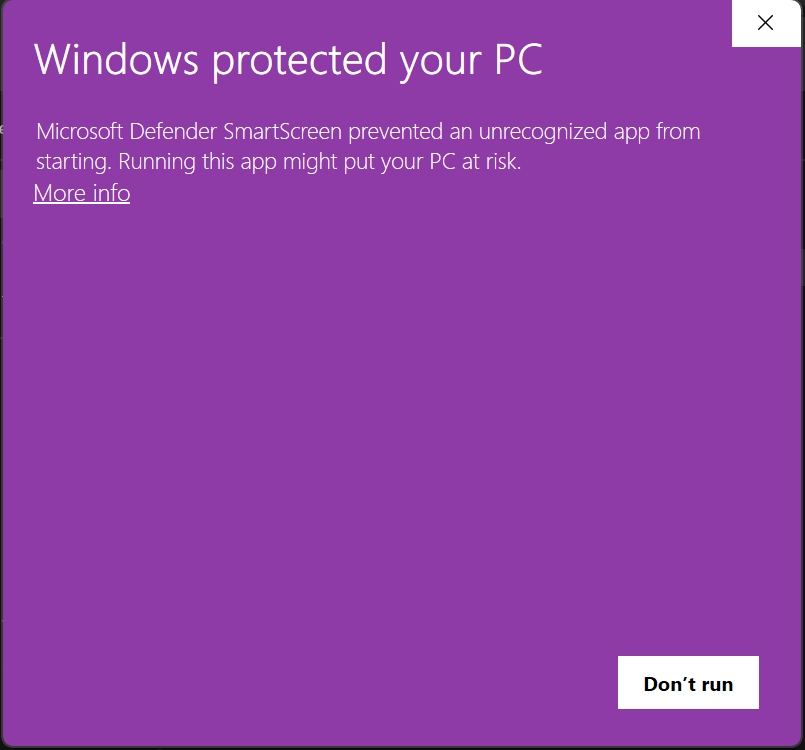
If you see a screen similar to the one below, click on the More info link.
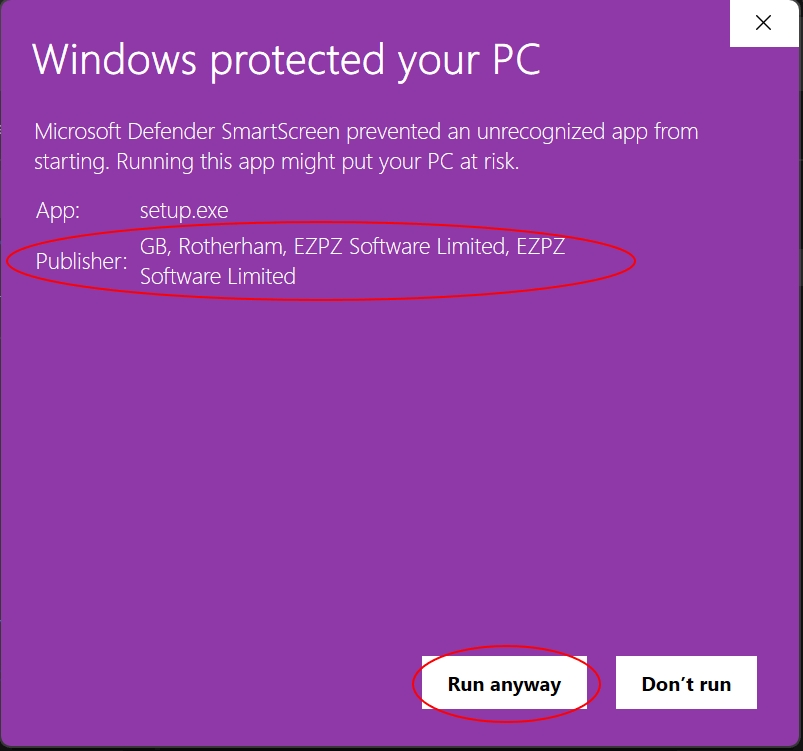
This will display a screen similar to the one below. Note that we are shown as the publisher of the file. You can click the 'Run anyway' button to continue with the installation.